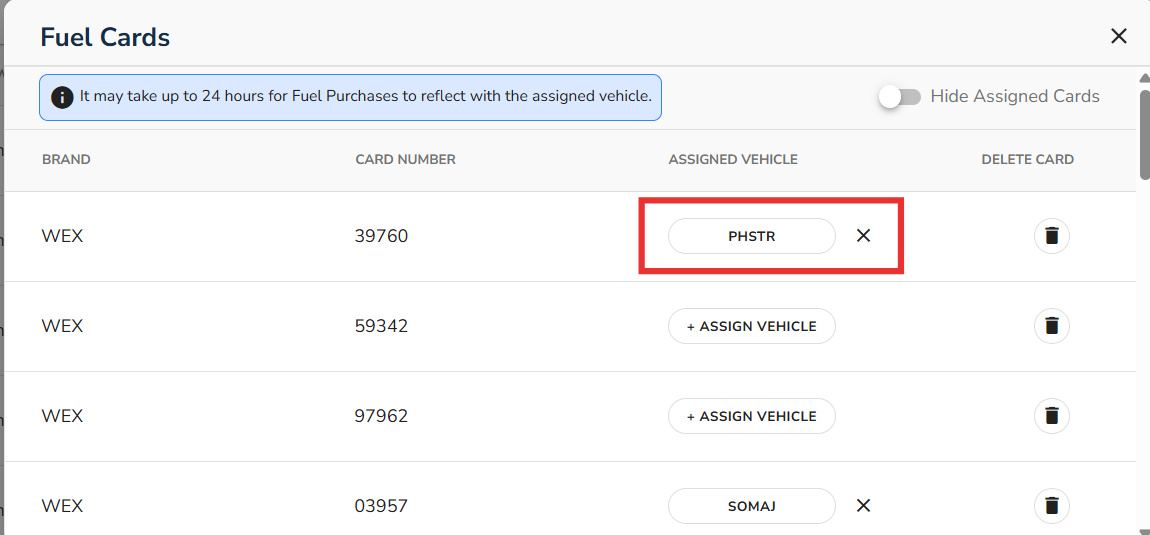
How to Assign Vehicles to Fuel Card

How to Assign Vehicles to Fuel Card in My Connected Fleet:
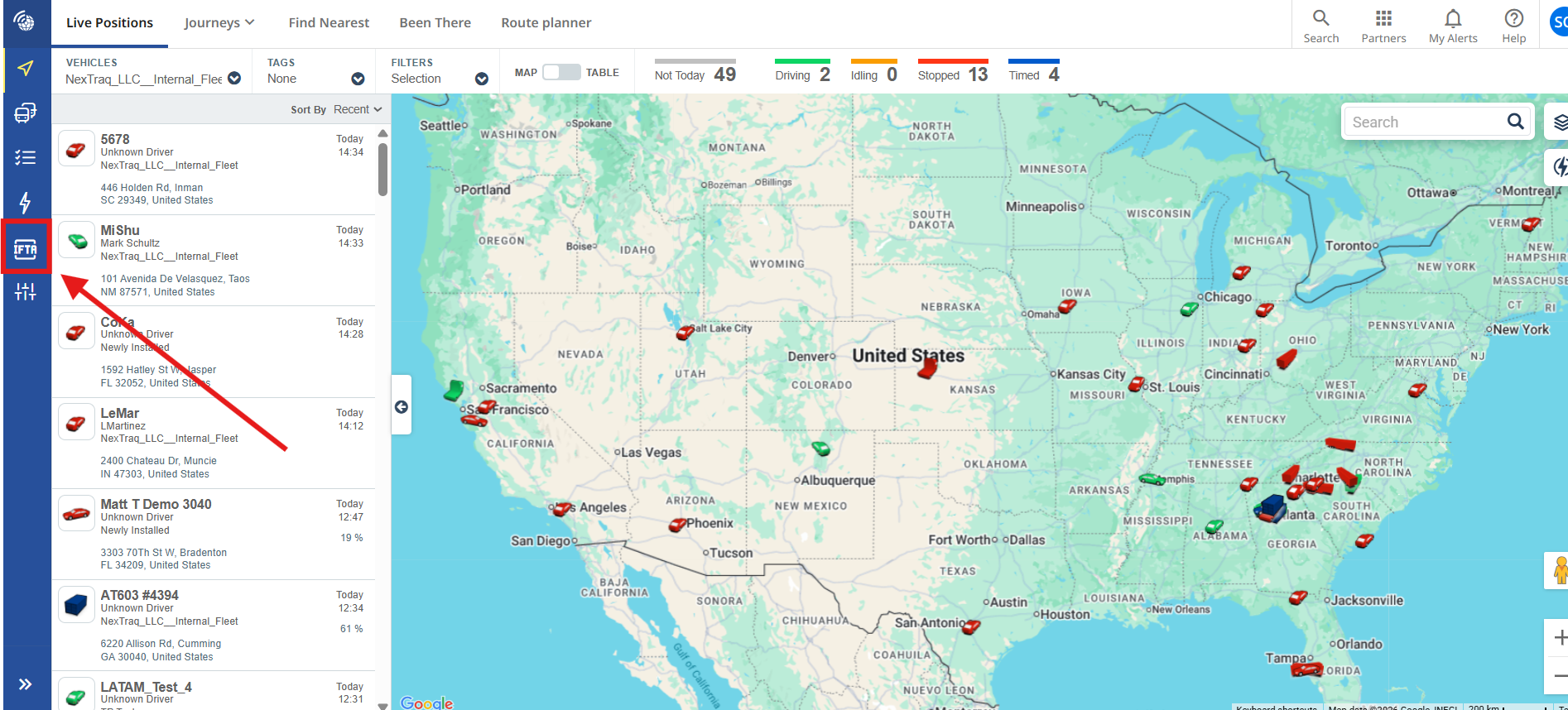
Navigate to the IFTA icon on the left side of the screen
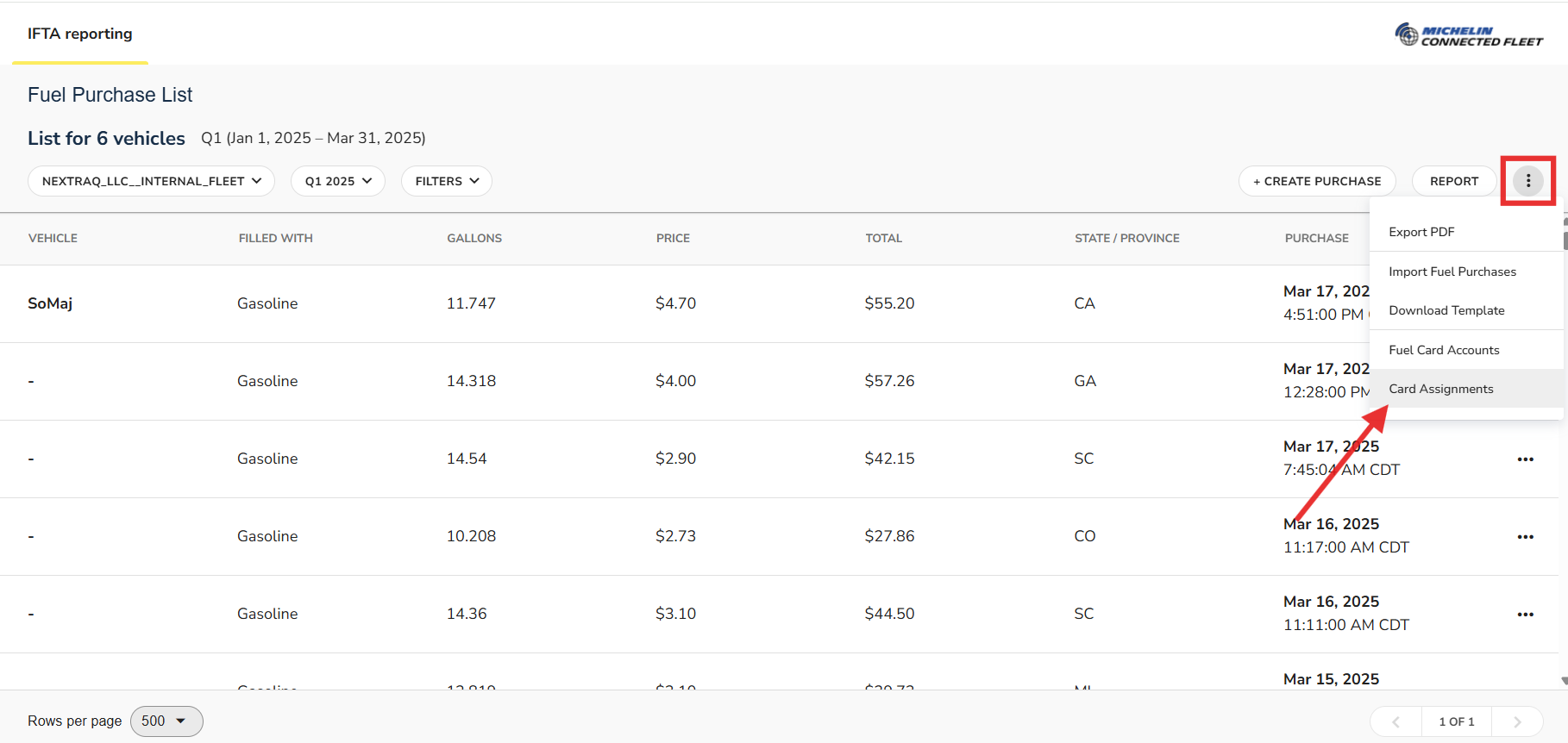
From the IFTA page, select three dots in the top right corner, then select Card Assignments
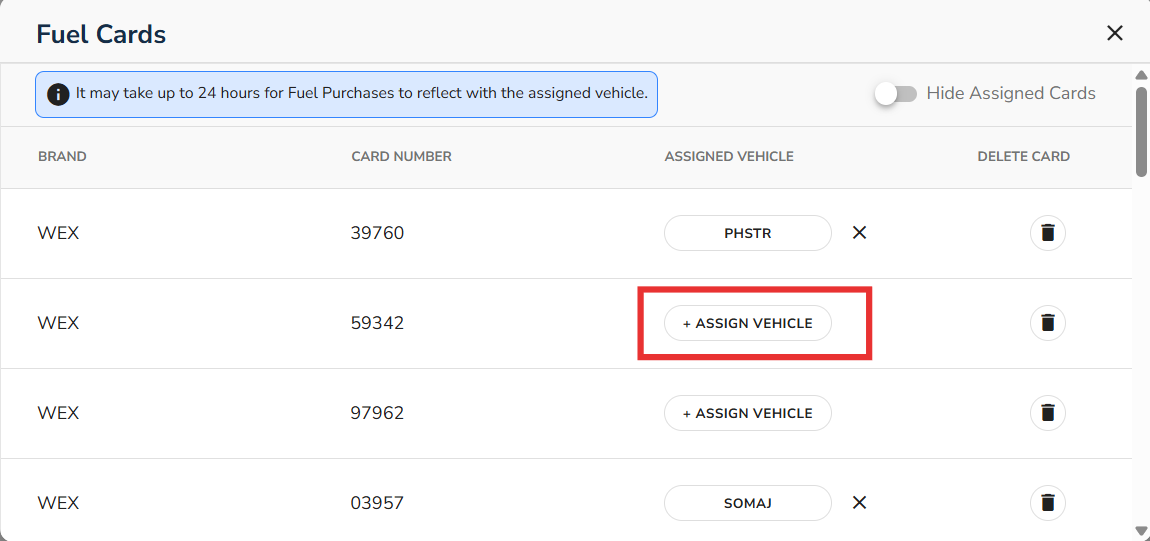
All fuel cards will be displayed. Select the card that you are looking to assign by selecting Assign Vehicle.
Please Note: It can take up to 24 hours for fuel purchases to display with the assigned vehicle/drive
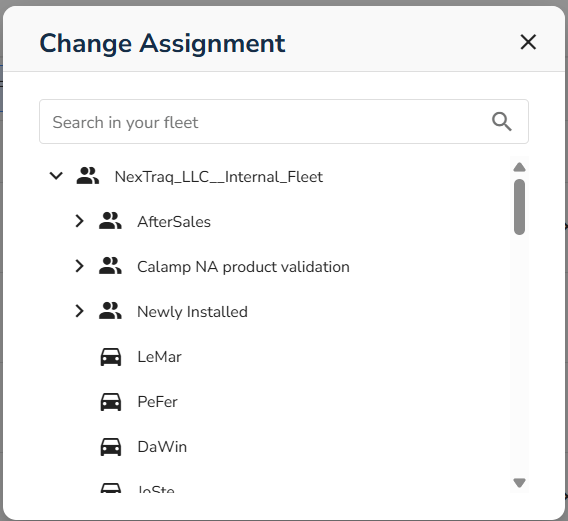
Hierarchy of vehicles will display on the popup. Select the Vehicle that you would like to assign to the fuel card.
The assigned vehicle will show as Assigned To the appropriate fuel card